Kindle Scribe (2024) … Eight Months Later
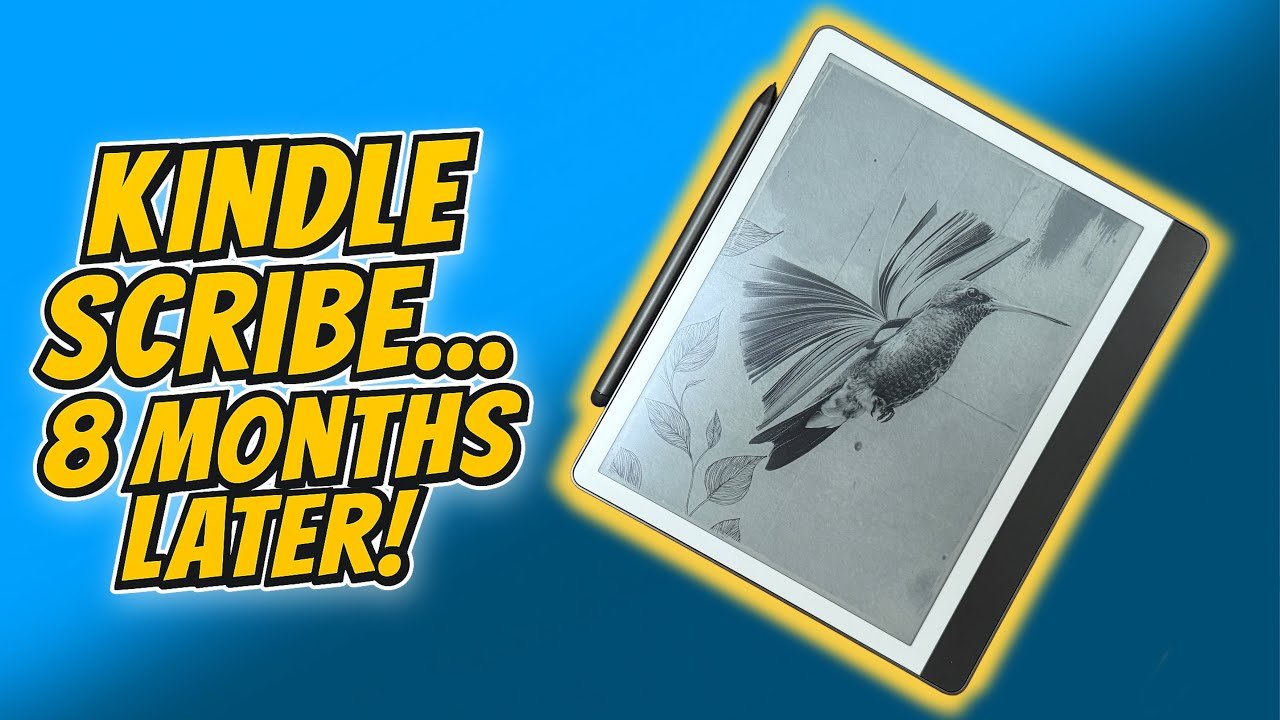
Eight months. That’s how long I’ve been using the refreshed Kindle Scribe. Long enough to know what it gets right, where it still annoys me, and whether it’s worth your money.
And the big question if you already own the original Scribe from 2022: Do you need to upgrade?
The short answer? No! (But please do read on.)
The internals are identical. Same screen, same processor, same dimensions, same weight. Amazon has changed the glass texture slightly to make writing feel a touch more “paper-like” and added some new colour options, but this is essentially a software-led refresh with one hardware sweetener: the premium pen now comes in the box.
So — here’s what’s good, what’s annoying, and who this is actually for.
What’s Changed?
It’s a 10.2-inch monochrome E Ink tablet with note-taking and Kindle reading built in. Same 300ppi Carta 1200 panel as the previous version as well as the same Wacom EMR (Electromagnetic Resonance) stylus system (no charging needed and no Bluetooth connection required). The difference is in the small refinements — mainly through software, plus that bundled premium pen.
Previously an £80 add-on, the premium pen is now standard. It has a soft rubber eraser on top and a side button for switching writing tools instantly. They sound like minor additions, but they speed up note-taking more than you might think.
I’d say it also feels a bit better balanced in the hand — others say grippier too, though I can’t confirm whether Amazon changed the coating. It’s still passive EMR, so not quite as instant as an Apple Pencil (about 19ms latency compared to Apple’s 9ms), but the upside is you’ll never need to charge it.
No change here — which isn’t a bad thing. The 300ppi display is as sharp as paper, with excellent contrast and minimal ghosting. That extra size compared to a standard Kindle makes a big difference for PDFs, comics, and more complex layouts.
Amazon has subtly roughened the glass surface to give the stylus a bit more bite. Most people won’t notice, but if you write a lot, you might appreciate it.
The Writing Experience
This is where the updates shine. All the new software features landed on the original Scribe too, but they’re worth calling out:
Handwriting-to-text: Convert quick notes or full paragraphs into clean, editable text.
Underline tool: Snap-straight underlines that don’t look scribbly.
Active Canvas: Write directly in ebooks in a fixed area that resizes with your text.
Extended Margin: A dedicated note-taking space alongside your book.
AI notebook summaries: Condense long notes into a quick overview.
Together, these make the Scribe feel more like a unified reading-and-writing device instead of a Kindle with a notebook awkwardly bolted on.
Easy Syncing
Notes sync automatically over Wi-Fi to your Kindle account. You can export them by email as PDFs or converted text. It’s simple, subscription-free, and requires no third-party apps. If you live entirely in Amazon’s ecosystem, it’s brilliant.
(Keep reading — this also appears later on my cons list!)
Battery Life
Amazon says 12 weeks of reading or three weeks of note-taking (30 minutes per day, front light at medium). In reality, I probably get about two weeks per charge with Wi-Fi on and regular use.
Charging is via USB-C. No wireless charging here, which isn’t a big deal — though if Amazon wants to keep this product “premium” feeling, it’s something they might want to add.
The Spark! is a reader-supported publication. To receive new posts and support my work, consider becoming a free or paid subscriber.
Where The New Kindle Falls Short
This launched around about the same time as the Kindle Colorsoft, so I think a lot of people, including me, assumed we’d might see a colour Scribe too. We didn’t.
Other brands like Boox and ReMarkable now offer colour E Ink devices using Kaleido 3 panels — the same technology Amazon is already familiar with thanks to the Colorsoft. Smaller companies have managed to bring colour E Ink notebooks to market, so it’s hard to imagine Amazon couldn’t do the same at scale and at a competitive price.
So why hasn’t it happened with the Scribe? Technically, it’s not a limitation — Kaleido 3 and even the newer Gallery 3 panels are perfectly capable of delivering rich colour for comics, diagrams, and planners. The likely reasons are possibly strategic. Colour E Ink is still a niche within a niche, and Amazon might not believe demand is strong enough yet to justify the higher costs, especially when colour panels generally have lower contrast than their monochrome counterparts.
But with more people using E Ink for academic diagrams, full-colour PDFs, and multi-coloured highlighting, Amazon’s cautious approach is starting to look overly safe. If you’re someone who reads comics, visual-heavy textbooks, or just likes to colour-code your notes, the lack of colour on the Scribe will be very noticeable.
Underlining and highlighting are now supported and neat, but you’re still limited to Active Canvas areas for freehand writing. It’s tidy, but it doesn’t replicate the freedom of marking up a paper page however you want.
At 430g, the Scribe is great on a desk but heavy for one-handed reading in bed or curled up on the sofa. When my Colorsoft was away for repair, I tried it at night and quickly missed my lighter Paperwhite.
The pen sticks magnetically to the side — fine if the Scribe is on your desk, but easy to knock off in a bag or while moving around. The official case has a pen loop, but in casual use, you’ll often just stick it to the magnet and hope for the best.
This is the flip side of “easy syncing”: it only works with Amazon’s cloud. No Dropbox, Google Drive, OneNote, or Notion integration.
ReMarkable offers more flexibility here (with a subscription), and Android-based e-ink tablets let you use whatever apps you like. If you want full control of your files, the Scribe’s a closed shop.
Final Thoughts
If you already own the original Scribe, you don’t need this version. All the major software features have rolled out to your device too, and you can buy the premium pen separately. The slightly more textured glass is nice, but far from essential, and most people probably won’t even notice.
The Scribe is a focused, well-supported reading-and-writing device. There’s still room for growth — colour and better note placement — but what we have already is reliable and easy to live with.
If Amazon ever releases a colour version, that might be the time to upgrade. Until then, this is a “buy if you need/want one, keep if you’ve got one” device.
If you’re thinking about purchasing a Kindle Scribe, or any device in the Kindle range, please use my affiliate links below:
Kindle Scribe – Amazon link
Kindle Colorsoft – Amazon link
Kindle Paperwhite – Amazon link
Kindle Basic – Amazon link
*This review is based on my YouTube video originally uploaded on the 20th July 2025 - LINK
Please support my work and enable me to keep writing content like this by tapping here: BuyMeACoffee